
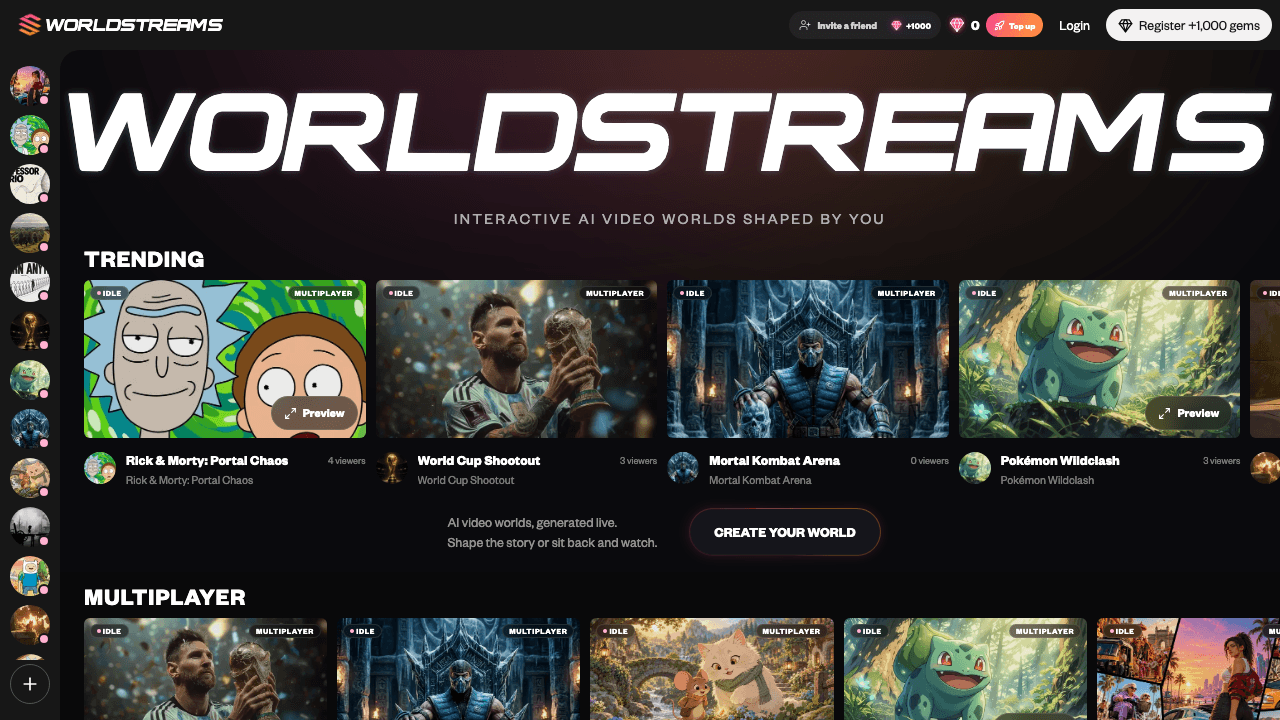
Worldstreams: Interactive AI Video Worlds
Explore shared AI video worlds where viewers can suggest ideas and influence what happens next. Choose a world, check its current state, and follow the available participation controls.
What is Worldstreams?
Worldstreams is an interactive AI video platform from Sequencer. Its worlds bring a shared visual setting together with audience participation, including suggestions and voting. It fits viewers interested in an evolving scene rather than a finished, on-demand video. A world being listed does not mean it is generating or broadcasting at that moment. Several worlds displayed an Idle state during our review. Open the individual world to understand its current availability and which actions its creator has enabled.
How to use Worldstreams
Viewer Mode: Suggest & Vote
Public InteractionBrowse active public worlds, submit text ideas in the chat prompt queue, and upvote favorite plot branches.
Browse Live Worlds
Inspect the directory and select a world marked active or generating.
Check Scene Queue
Observe the current storylines and see pending suggestions from other viewers.
Vote or Submit Prompt
Use the prompt bar or click upvote on candidate scenes to steer the next clip.
Capabilities and workflow
Shared World Context
Viewers enter a common visual setting instead of generating isolated personal clips.
Audience Branching
World-specific suggestions and votes provide democratic ways to steer subsequent video.
Perpetual Generation
Continuous video models stitch short scenes into seamless ongoing streams.
Real-Time Synchronization
WebRTC media distribution keeps global viewers observing the same generative moment.
Access & Pricing
Public world listings are available on the website. Watching is free; steering generation requires signing in and using gems.
Watching is free. Action execution consumes gems based on world rules. Access to a world and permission to steer generation are separate.
Before you start
Check Idle Status First
An idle world may need its creator to kickstart generation; check running tags before waiting.
Target Concrete Visuals
Specific lighting, camera motion, and object descriptors yield more cohesive results than abstract words.
Gems Economy Awareness
Verify required gem amounts before voting or submitting high-priority prompt injections.
Audio & Theater Mode
Many worlds generate ambient audio layers; toggle theater mode and unmute for full immersion.
Frequently asked questions
QIs every Worldstreams world live 24/7?▼
No. The directory includes idle worlds. Check the individual world’s current state indicator before participating.
QCan viewers directly direct the video?▼
Yes, through suggestion queues and community voting. Popular prompts are synthesized into the next video segment.
QWhat models power Worldstreams?▼
Sequencer utilizes interactive diffusion and generative video models optimized for real-time scene continuity.
QIs watching Worldstreams free?▼
Public worlds can be watched for free. Submitting custom scene prompts or voting uses account gems.
QCan I create my own interactive world?▼
Yes, verified creators can design worlds with custom anchor prompts and invite global viewers to participate.
Related AI experiences and tools
fal.live
fal.live is an interactive AI television broadcast network powered by fal.ai and MiniMax H3 Max video models. Viewers direct continuous live streams across 6 channels (Anime, Chaos, Sitcom, Soap Opera, Popcorn, Wildlife) with real-time story voting and open channel proposals.
YoLive
Discover AI story channels built around watching, suggesting and deciding what happens next together. YoLive combines channel discovery with an experimental Chaos Lab.
Infinite Slop
Infinite Slop is a 24/7 continuous AI-generated live stream created by Pieter Levels and fal.ai, featuring a chat-directed road trip powered by the MiniMax H3 video model.
AI Video Companion
Real-time conversational video AI companion with responsive facial expressions, natural turn-taking, and instant interruptibility.